Configure a host or path origin
Configure an Origin
For each site host, you must configure an origin. Optionally, you can configure a path-specific origin using the same steps.
To configure a host or path origin:
Notes about the UI
They may or may not be visible. The Rules, Origins, and ACL tabs all appear as soon as one rule, origin, or ACL is added.

Note the number in parentheses on the Origins tab:

The number on the Origins tab is (0) or the tabs are not visible:
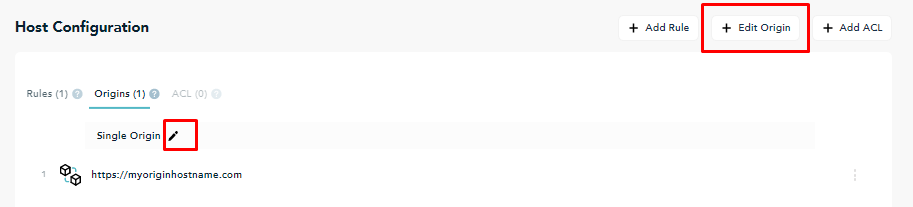
If the tabs are not visible, or the number in parentheses on the Origin tab is (0), the Add Origin button appears.

The number on the Origins tab is (1), or greater than 1:
If the number on the Origins tab is (1), a Single Origin is configured. If the number is greater than 1, an Origin with Failover or a Round Robin List is configured.
To further configure the origin, or to change the origin configuration type, select Edit Origin.
Alternatively, on the Origins tab, select the Pencil icon.