
Save a site configuration
Save Changes
The Media Delivery site configuration defines exactly how the CDN processes client requests and delivers content. Each time you save the Media Delivery site configuration, an immutable version is created that cannot be changed or deleted.
Learn more about configuration versions.
To save a configuration version:
Navigate to the My Media Sites page and select the site.
In the Media Site Configuration tab, select Save as New Version. (Save as New version is active when there are unsaved changes to the site configuration.)

The Save New Version dialog displays a default description of the version and a change summary. You can edit the default version description.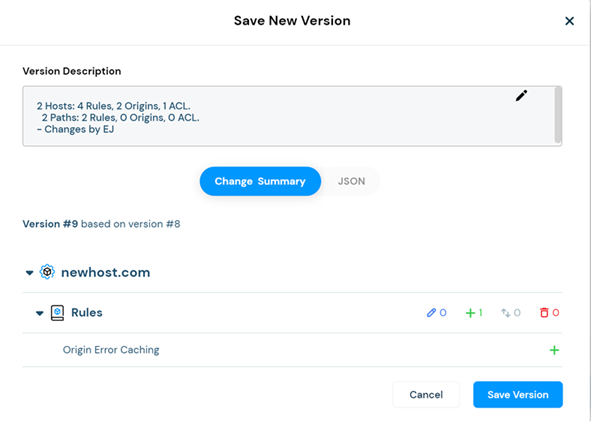
Review the changes and then select Save Version.
The system does a quick validation check before saving and informs you if there are any errors.
Tip: If the "Invalid Site Configuration" message appears, check that each configured site host defines the same traffic type. Also verify that each host configuration includes an origin.
Saved versions are added to the Versions List. To display the Versions List, select Versions & History.
Review Changes
The Save New Version dialog box displays details about the configuration version about to be saved.
The Version Description summarizes the configuration.
The Change Summary lists the unsaved changes, and for relevant entities, specifies the number of each type of change (edited, created, reordered, deleted).
In the following example, the change list shows that a new path, "/premium" was created, and configured with an origin and an ACL. A second path, "AdGen," was created, and configured with an origin. If an entity had been deleted, modified, or reordered, that would be indicated as well.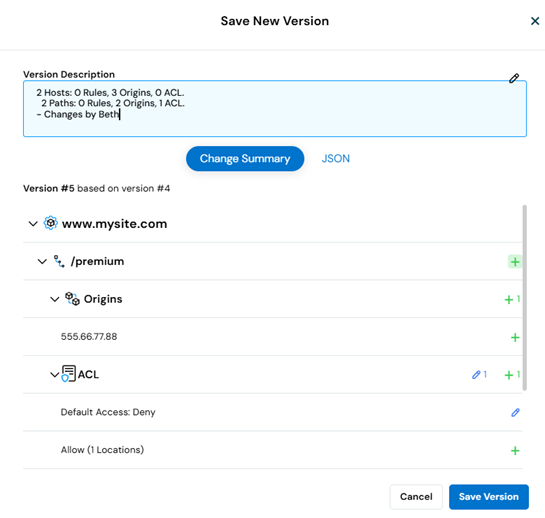
Select JSON to view the changes in comparison to the last saved version.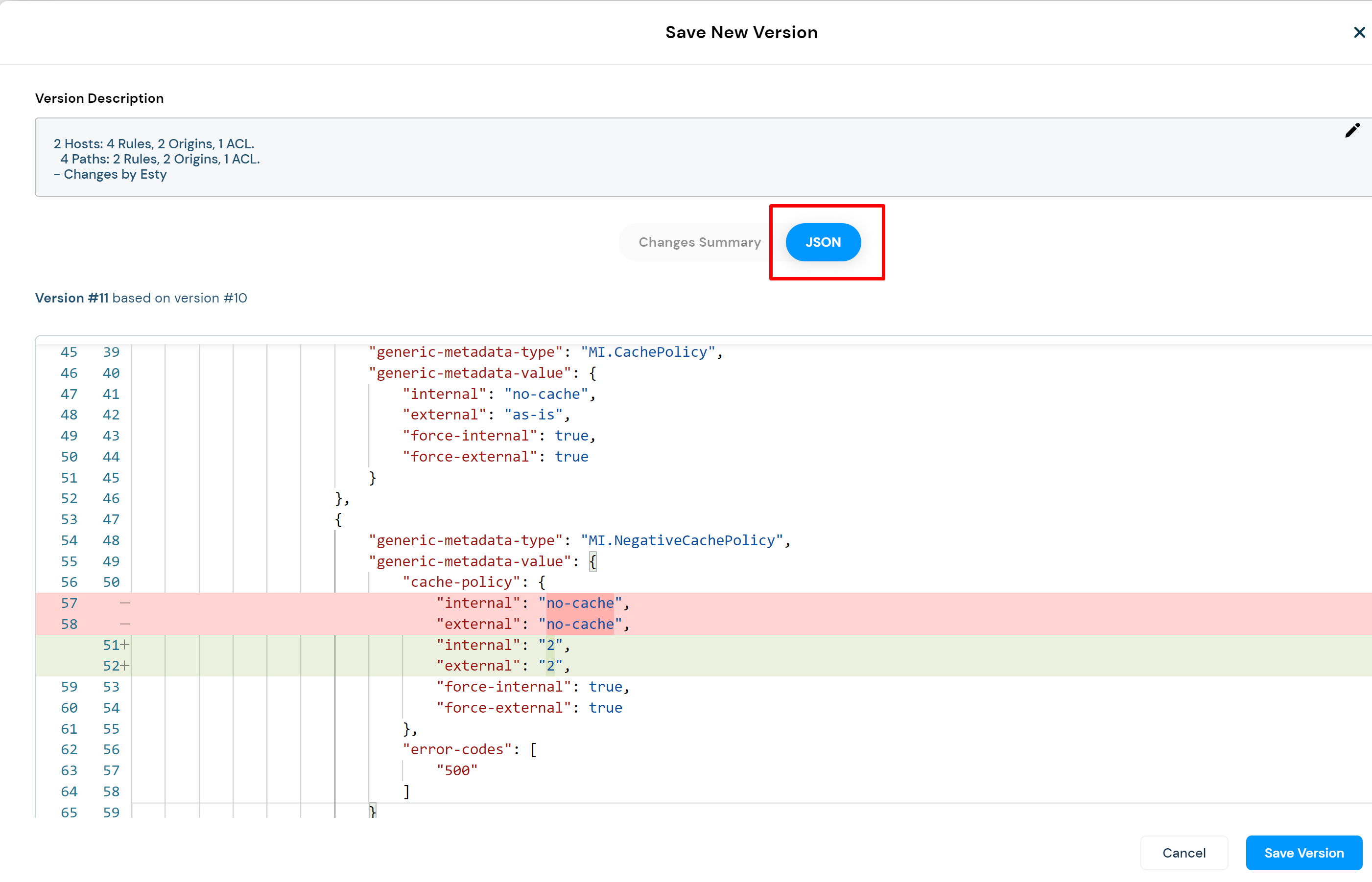
New configuration objects are highlighted in green.
Deleted configuration objects are highlighted in red.
If a configuration object was modified, the outdated version of the object is highlighted in red followed by the updated version, highlighted in green.
Revert Changes
The Revert Changes feature is active when there are unsaved changes to the Media Delivery site configuration.
To cancel all the changes made to the configuration since the last time it was saved, select Revert.
