
Update a certificate
You may want to update an SSL certificate, for example, to enhance security, expand coverage to additional site hosts, maintain compliance, or extend the expiry date. The Update feature makes it simple to update a certificate that is already linked to your site, without interrupting media delivery.
Important: To activate an updated certificate on a live site, it is necessary to republish the site.
To update the certificate associated with a site:
- Navigate to the My Media Sites page and select the site.
- Open the Certificates tab.
- In the Actions column, select the More icon.

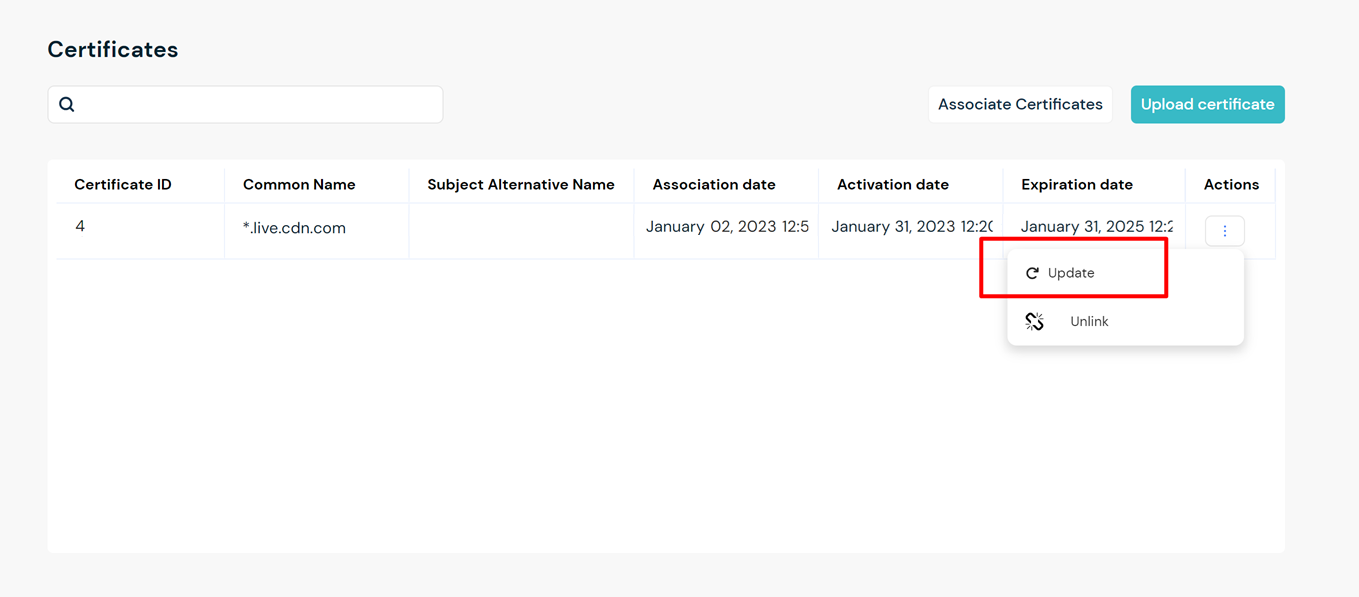
- Select Update.
- In the Update Certificate dialog, upload or paste the Certificate, Certificate Chain, and Private Key in the corresponding fields.
- Select Validate.
- Check the parameters and click Confirm.
- If your site is live, Republish the site. to activate the changes.